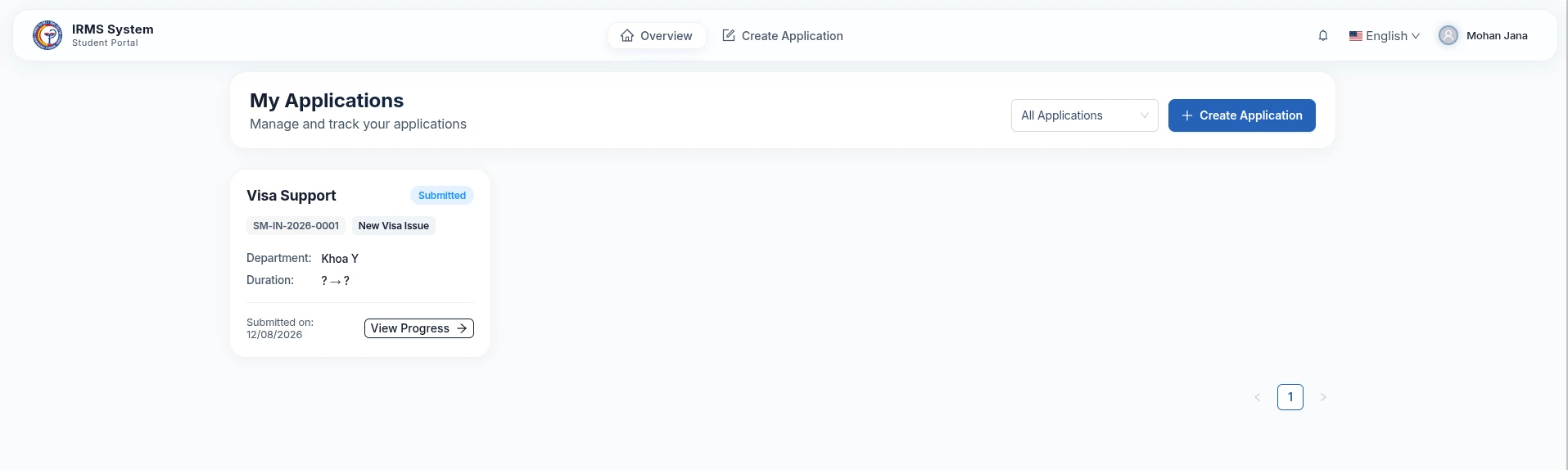
International Student Visa Guide
This user guide provides simple, step-by-step instructions for international students applying for a New Visa or Visa Extension on the Student Portal, tracking application status via Email, and updating Temporary Residence information.
Quick Summary for Students
You only need to complete 3 simple steps:
- Submit Application: Fill out your details, upload files, and click Submit.
- Track via Email: Check your inbox for approval notifications, tracking links, and fee payment links.
- Declare Temporary Residence: Update your local stay address once approved.
1. How to Submit Your Visa Application Online
Step 1: Fill out Declaration Details
- Go to Create Application on the Student Portal.
- Select Application Type:
Visa Support. - Select Request Type:
New Visa Issue: For new inbound exchange students.Visa Extension: For current students extending their stay in Vietnam.
- Enter your Full Name (as shown in your passport), Date of Birth, Nationality, Passport Number, Expiry Date, and Expected Arrival Date.
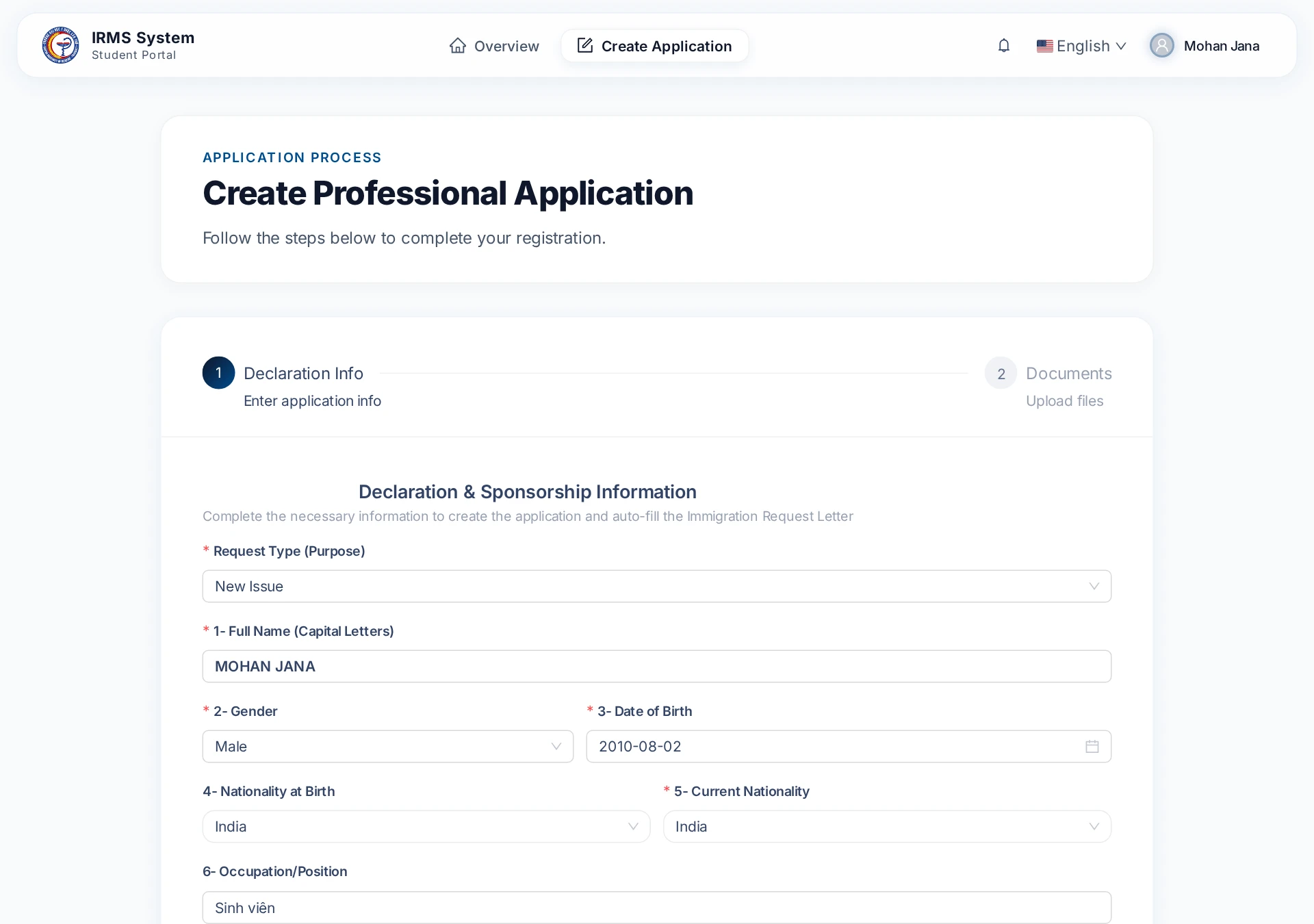
Tip for Visa Extension Applicants
If you choose Visa Extension, the system will automatically pre-fill your personal details and previous files from your last approved record.
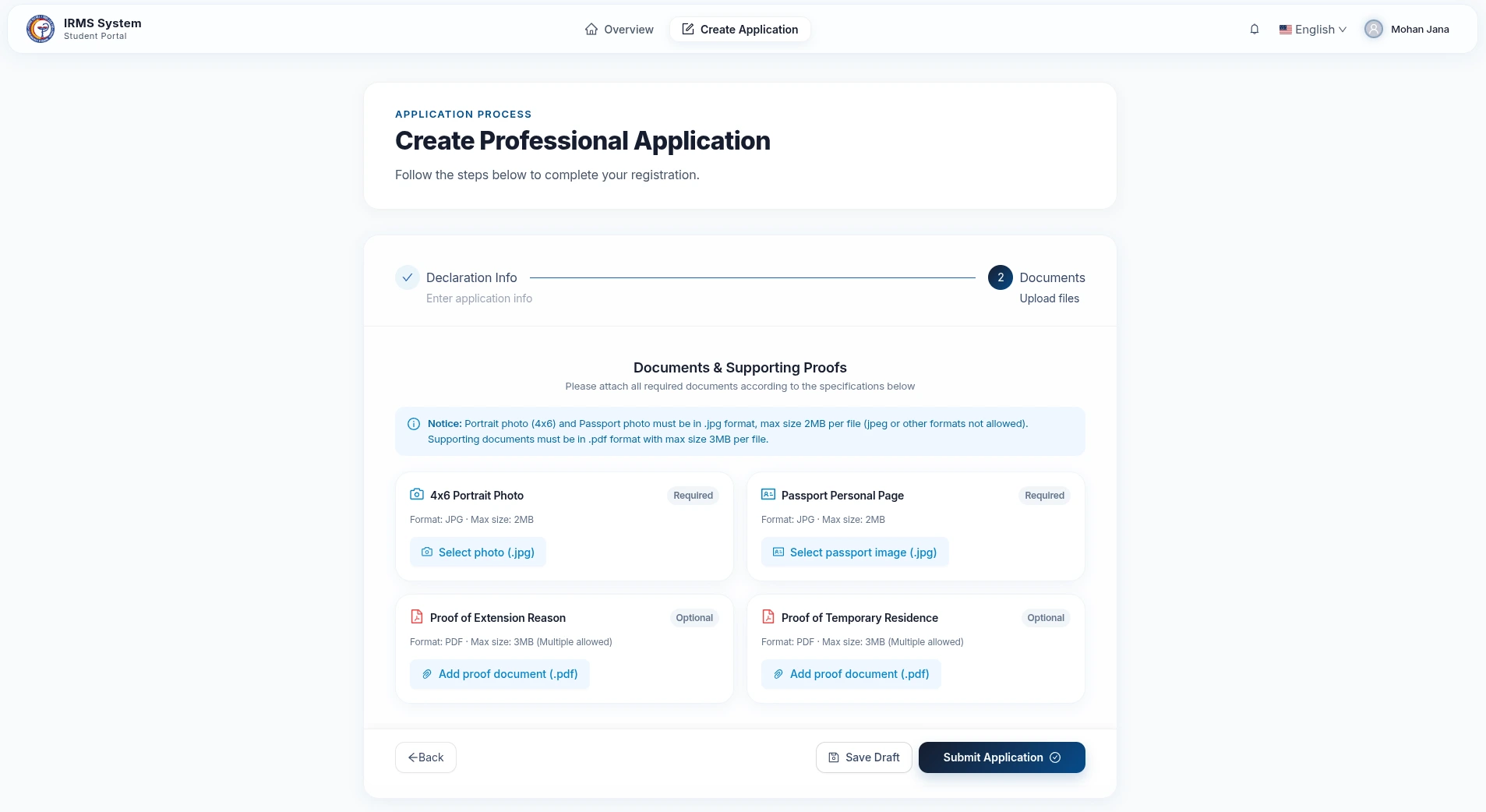
Step 2: Upload Supporting Documents
Upload clear scanned copies of your required documents:
- 4x6cm Passport Photo: White background, clear face, no tinted glasses (
.jpgformat, size under 2MB). - Passport Info Page: Scan of your passport biographical page (
.jpgformat, size under 2MB). - Proof of Extension / Residence: Acceptance letter, housing confirmation, or related documents (
.pdfformat, size under 3MB).
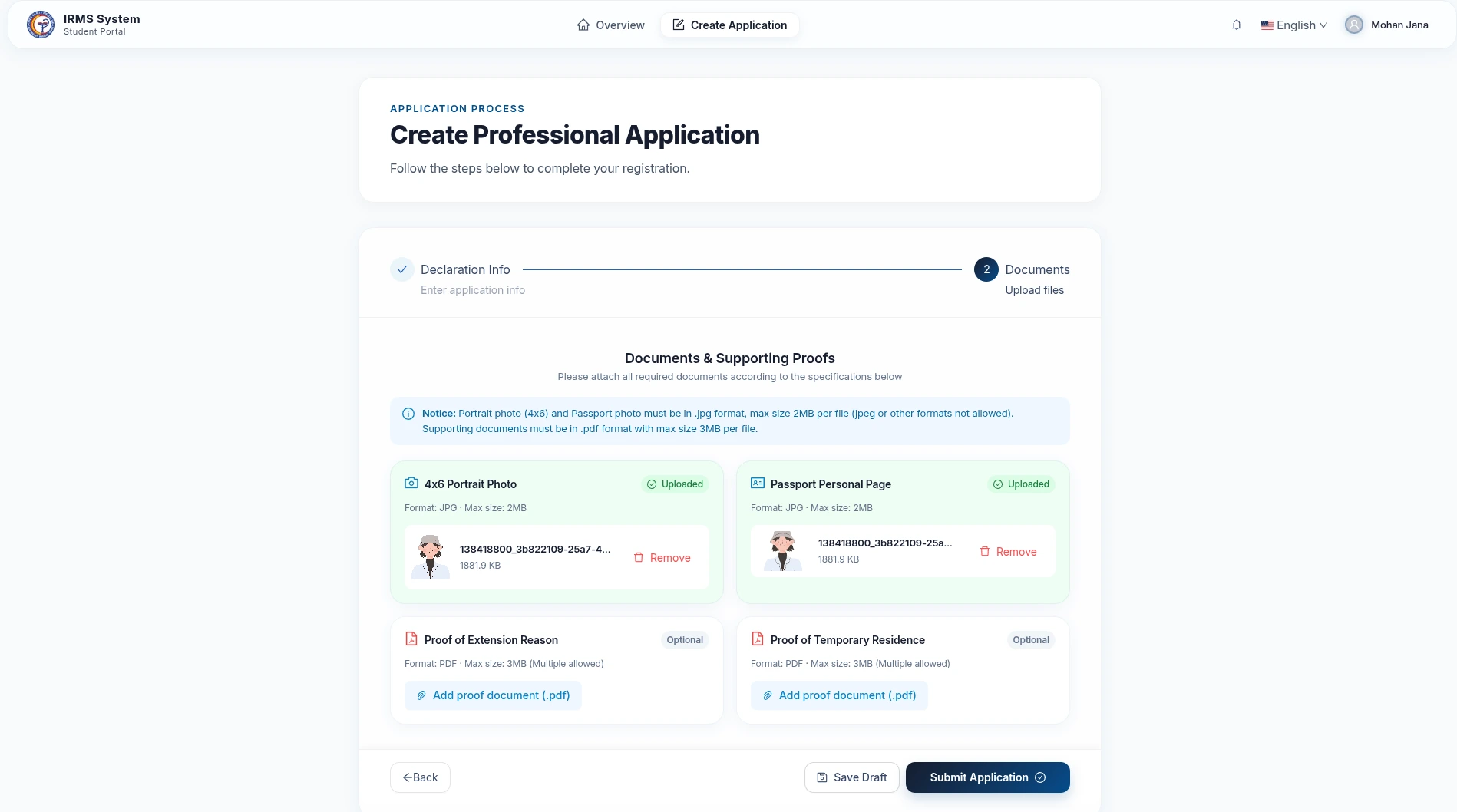
Step 3: Review and Submit
- Double check all entered details.
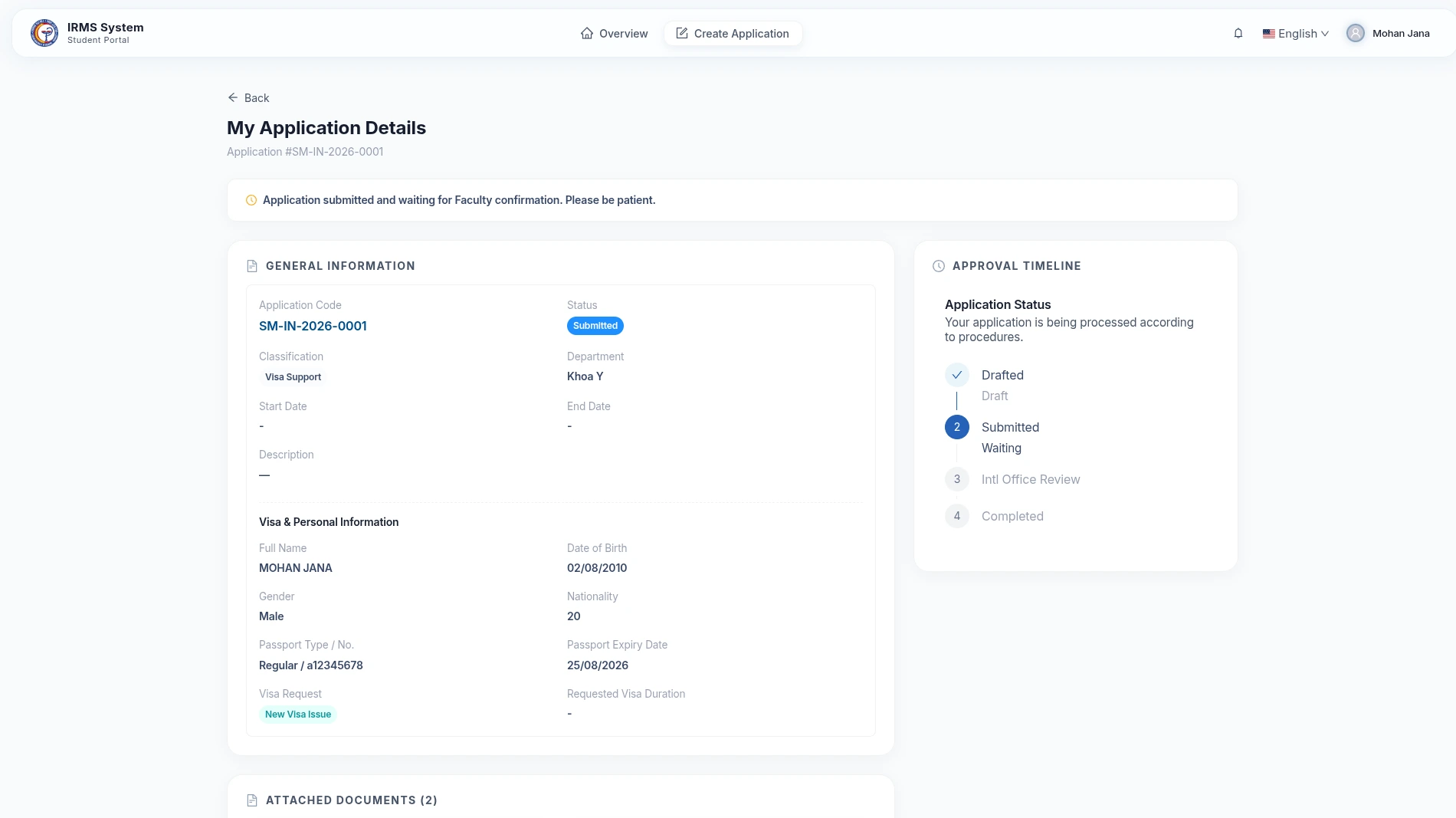
- Click Submit Application. Your application will be sent to the International Relations Office for verification.
2. Tracking Application Progress via Email
After submitting your application, simply monitor your email inbox for key notifications:
- Email 1 - Approval Notification: Received once the university approves your application.
- Email 2 - Status Tracking Link: Contains your Application Code and a direct Tracking Link. Click the link to view real-time progress at the Immigration Department.
- Email 3 - Fee Payment Link: Contains an Online Payment Link. Click the link to pay government visa fees online.
3. Temporary Residence Declaration
Once you receive your visa or move to a new address, update your accommodation details on the Student Portal:
How to Declare:
- Go to your application details or the Temporary Residence page.
- Click Declare Residence (or Update Residence).
- Select your Province/City, Ward, enter your Specific Street Address, Registration Date, and Expiry Date.
- Click Save to complete.
Stay Validity Warning
- When your stay validity has 7 days or less remaining, a yellow warning banner will appear to remind you to renew.
- Ensure your residence information is kept up to date to comply with local regulations.